New tech5 min read
WordPress or a modern stack? Why we build without WordPress
Why Brnded17 builds websites on Astro and Next.js instead of WordPress: speed, security and upkeep compared, and when WordPress is still right.

Jake GaleaFounder and CEO, Brnded17 ·
- Of all websites run on WordPress
- 40.1%
- Astro and WordPress sites passing Core Web Vitals
- 71% vs 49%
- New WordPress vulnerabilities found in 2025
- 11,334
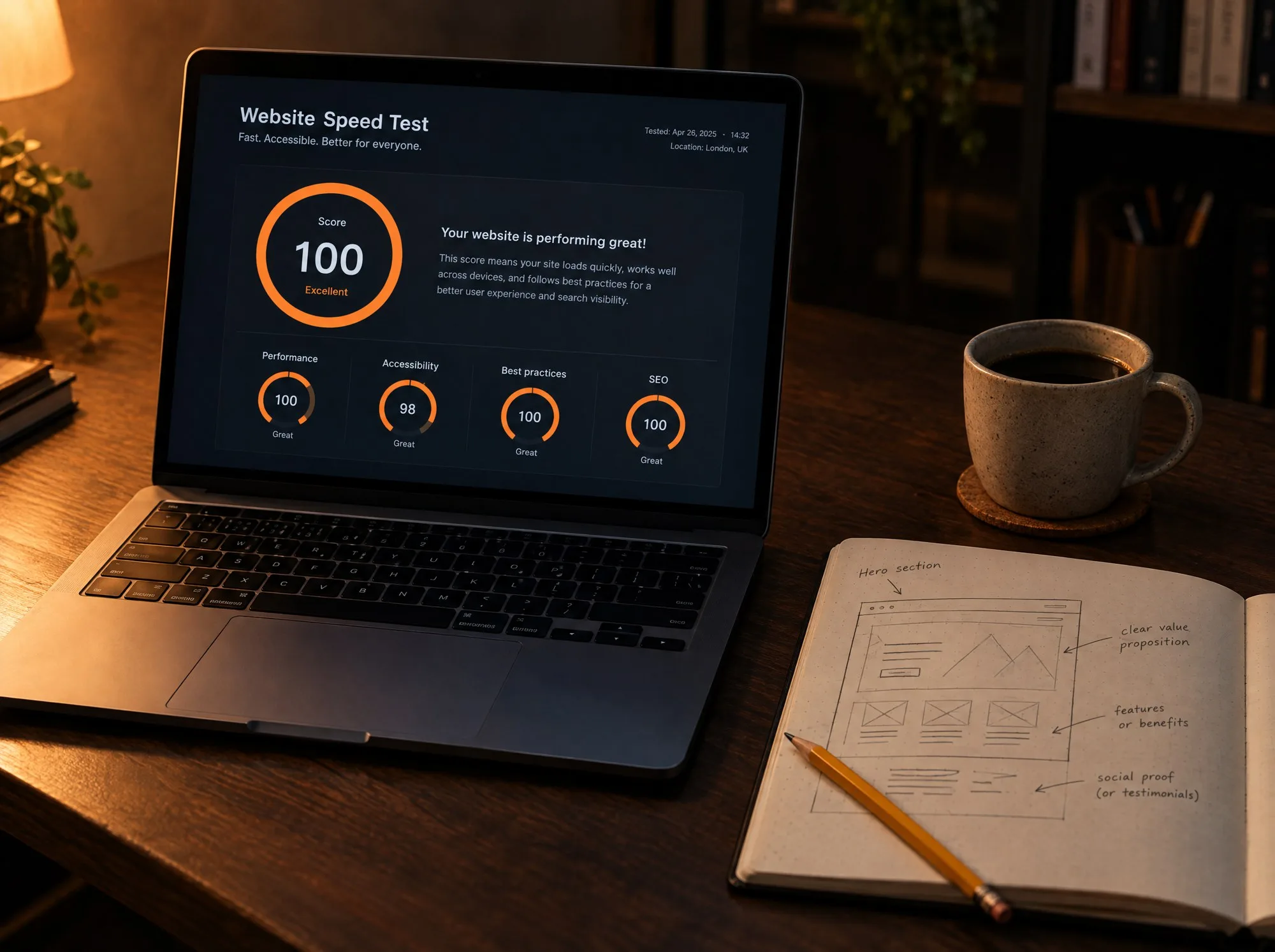
- Our own Lighthouse performance scores
- 93 to 100
Key points
- WordPress runs 40% of the web and is a sensible choice for many sites. It is not the best tool for a fast, low-maintenance business website.
- On mobile, 71% of Astro sites pass Google's Core Web Vitals, against 49% of WordPress sites.
- 91% of the WordPress vulnerabilities found in 2025 were in plugins, which is exactly what a modern stack does without.
- Choose WordPress when a non-technical team needs to publish every day. Choose a modern stack when speed, security and low upkeep matter more.
Brnded17 builds websites on Astro and Next.js, not WordPress, because the result is faster, has far less that can break or be attacked, and costs less to keep running. WordPress is still the right choice for some sites, and this article says which.
Nothing here is an attack on WordPress. It runs 40.1% of all websites, according to W3Techs, and it earned that. The question is narrower: what is the best way to build a business website in 2026?
What “a modern stack” means
A traditional WordPress site assembles each page when a visitor asks for it. It reads from a database, runs the theme and every plugin, and then sends the result. All of that happens on each visit, unless more plugins are added to cache it.
A modern stack turns that around. Each page is built once, in advance, into finished HTML and stored around the world. When someone visits, there is nothing to assemble. The page is simply delivered.
At Brnded17 we use two tools for this.
- Astro for websites: brand sites, service pages and blogs like this one.
- Next.js for web apps: portals, booking systems and dashboards, where people log in and do things.
Both are hosted on Vercel, and neither needs a plugin to be fast.
Speed: what the data says
Google measures real visitors’ experience through three tests it calls Core Web Vitals: how quickly the main content appears, how quickly the page responds to a tap, and whether things jump around while it loads. Passing them is part of how Google judges a page.
The HTTP Archive publishes the share of real websites that pass all three, by technology. These are the mobile figures for August 2026.
| Built with | Sites passing Core Web Vitals on mobile |
|---|---|
| Astro | 71% |
| WordPress | 49% |
| Next.js | 35% |
Two things stand out.
Astro sites pass far more often than WordPress sites. That is the main reason we use it for websites.
Next.js scores lower than WordPress. We include that because it is true, and because it makes an important point: no tool guarantees a fast site. Next.js is mostly used for heavy, interactive applications, and it is easy to ship too much with it. The tool sets the starting point. The care taken by the people building decides the result.
A modern stack does not make a site fast on its own. It removes the things that make a site slow, and leaves the rest to the builder.
Our own numbers
We tested three pages of brnded17.com, which is built on Astro, with Google Lighthouse on 5 October 2026 using mobile settings.
| Page | Performance | Accessibility | Best practices | SEO |
|---|---|---|---|---|
| Home | 93 | 100 | 100 | 100 |
| Website services | 100 | 100 | 100 | 100 |
| Our work | 100 | 98 | 100 | 100 |
For comparison, the HTTP Archive puts the typical mobile Lighthouse performance score at 44 for WordPress sites and 70 for Astro sites.
Security: where the risk actually is
WordPress itself is well maintained. The risk is in what gets added to it.
Patchstack’s 2026 security report counted 11,334 new vulnerabilities in the WordPress ecosystem during 2025, up 42% on the year before. Of those, 91% were in plugins and 9% in themes. Only six were in WordPress core. Nearly half, 46%, had not been fixed by the time they were made public.
A WordPress business site usually runs a theme and a collection of plugins: forms, SEO, caching, security, sliders, backups. Each one is written by a different author and needs updating separately. Each is a door.
A static site built on a modern stack has no admin login to attack, no plugins to exploit and no database behind its pages. There is very little there to break into.
Upkeep: the cost nobody quotes
A WordPress site needs regular attention: updates to WordPress, the theme and every plugin, plus a check that none of those updates broke something else. Skip it, and the site becomes slower and less safe each month.
That work is real, and somebody pays for it, in a maintenance retainer or in an emergency call when the site goes down.
A modern site has far fewer moving parts. Our care and hosting plan is AED 400 to 500 a month, and the time goes on improving the site, not patching plugins.
Editing content without WordPress
This is WordPress’s real strength, so it deserves a straight answer. WordPress gives a non-technical person a familiar screen for writing and publishing. That matters if you publish often.
On a modern stack there are two ways to handle it.
- We make the changes. For most business sites, content changes a few times a month. Under a care plan you send us the change and it is done properly, with the page checked afterwards.
- You edit it yourself. If your team needs to publish regularly, we connect an editing screen to the site so you can add and change content without touching code.
If you need to publish many articles a day with a large editorial team, we will tell you WordPress is the better fit.
When WordPress is still the right choice
- You publish constantly and your team already knows WordPress well.
- You depend on a specific plugin that does something central to your business.
- Your existing WordPress site is fast, updated and bringing in enquiries. Do not fix what is working.
- Your budget is very small and you plan to build and run the site yourself.
What moving off WordPress involves
Moving is less dramatic than it sounds, as long as one thing is done properly: redirects.
- We map every page on your current site, including the ones you forgot about.
- We rebuild the design and content on the new stack, improving the pages that matter most.
- We redirect every old address to its new one, so links and Google rankings carry over.
- We test, launch and watch. Speed, forms, tracking and search visibility are checked before and after.
Step 3 is the one that protects your search traffic, and it is the one most often skipped. We treat it as part of every build, and it is also a core part of our technical SEO service.
If you are weighing up a rebuild, Brnded17 designs and builds websites in Dubai from AED 8,000, typically in 2 to 3 weeks. For the full picture on budgets, read how much a website costs in Dubai.